Editor’s note: This Astronomer review weighs pricing, developer workflow, operational controls, and alternatives through independent analysis.
Quick verdict: I recommend Astronomer’s Astro platform for data teams that want to keep Airflow while spending less time maintaining its infrastructure. Its strongest appeal is the combination of managed deployments, Airflow development tools, and specialist support. The trade-off is a usage bill with several moving parts, plus an Airflow learning curve that managed hosting doesn’t remove.
Key Takeaways
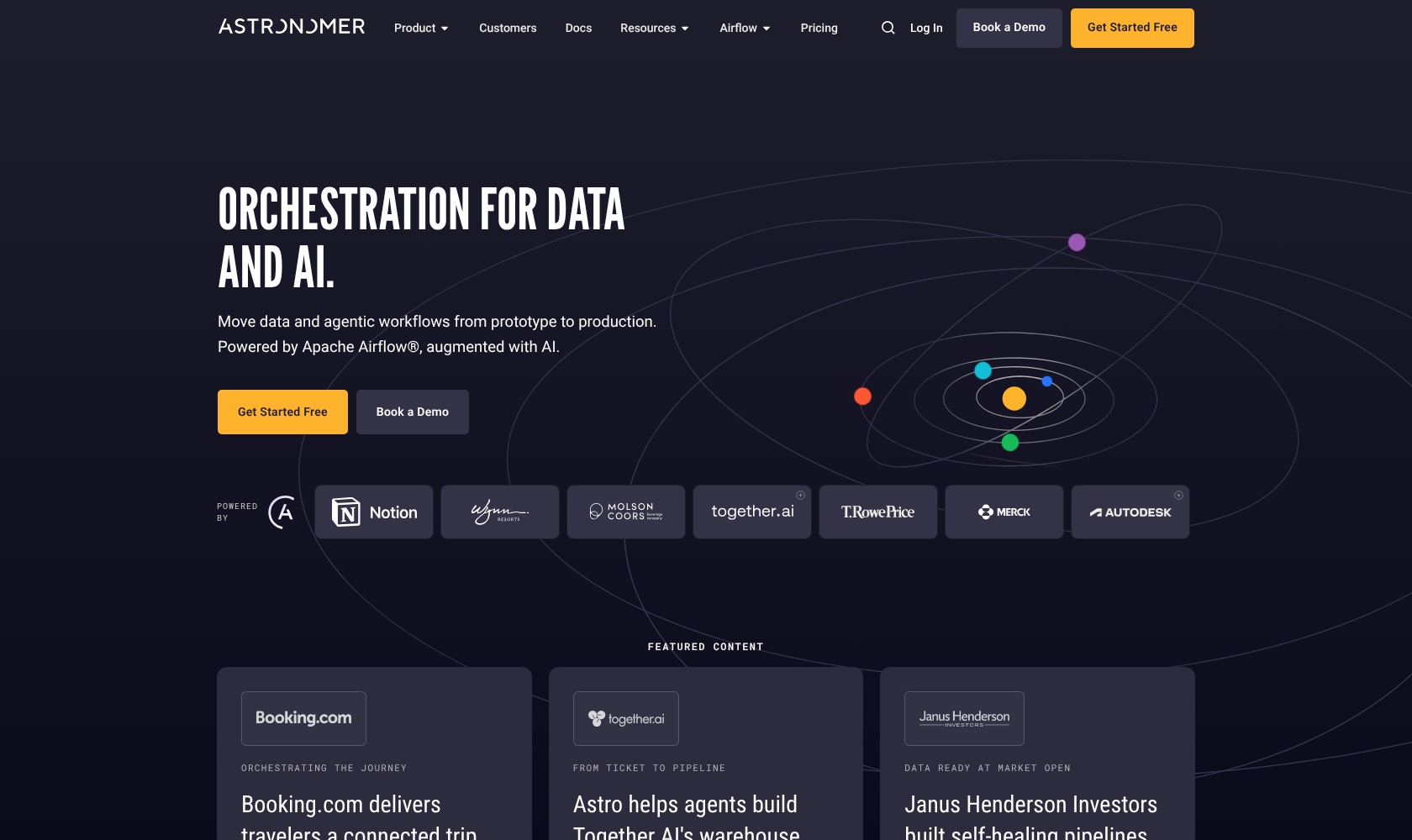
- Astro is a managed platform built around Apache Airflow, making it particularly attractive if your team already writes Airflow pipelines.
- Deployment rates start at $0.35 an hour on Developer and $0.42 on Team; workers and other services add charges.
- Cosmos connects dbt models to individual Airflow tasks, giving you more control over retries and dependencies.
- A managed service still leaves your team responsible for pipeline code, credentials, and dependencies.
- Otto can help with pipeline development and troubleshooting, but its documentation currently labels it Labs.
I’ll take a closer look at the costs, workflow, and features that would influence my choice between Astro and another orchestrator.
Astronomer Pros and Cons
Pros
- Managed Airflow infrastructure preserves a familiar DAG development model.
- Astro CLI supports local development and deployment from one project.
- Worker queues let you allocate different resources to different tasks.
- Cosmos exposes individual dbt models as Airflow tasks.
- Remote Execution can run tasks in your infrastructure.
Cons
- Deployment rates exclude worker compute and other usage charges.
- Schedulers still require resource sizing.
- Python dependencies, connections, and DAG design remain your responsibility.
- Local connection settings aren’t automatically deployed.
How Much Does Astronomer Cost?
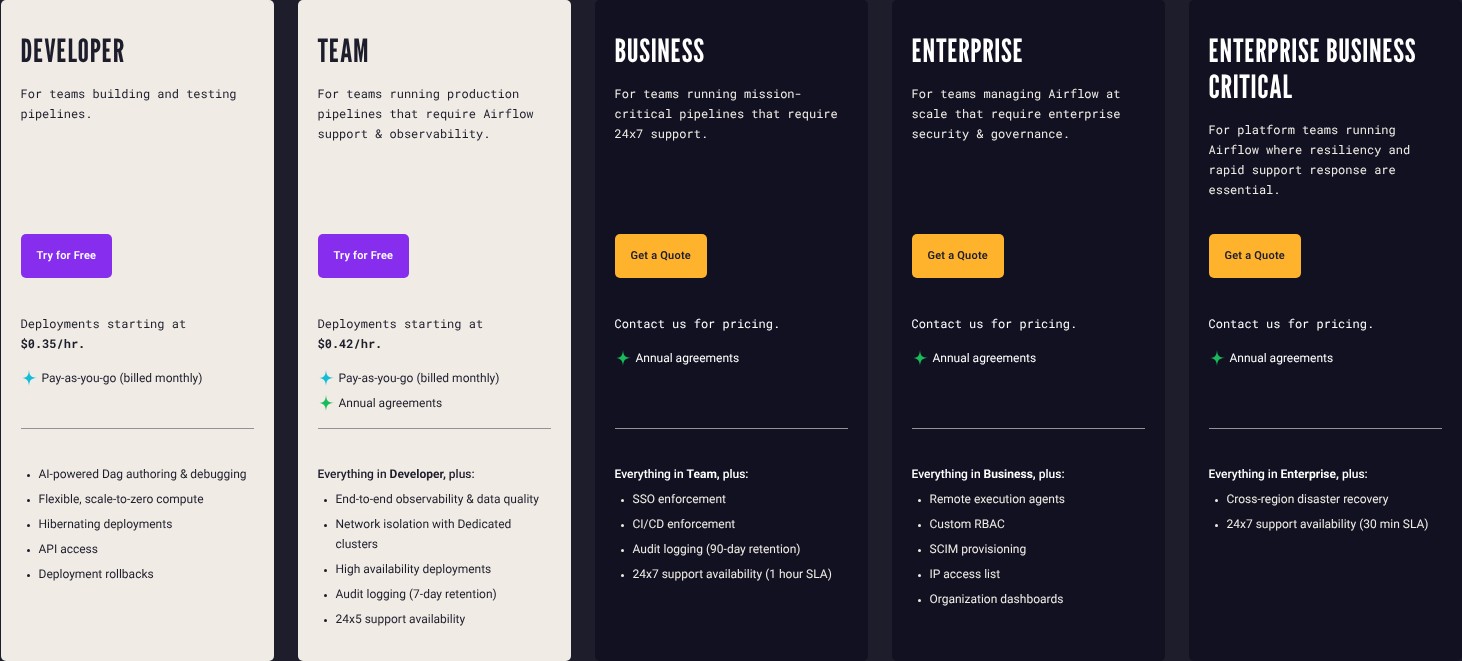
Astro has five hosted plans. I’d choose between them by support and security requirements before comparing the headline deployment rates.
- Developer (from $0.35/hour per deployment): for development and smaller evaluations, with monthly usage billing.
- Team (from $0.42/hour per deployment): for production teams that need additional operational controls, with pay-as-you-go or annual agreements.
- Business (custom pricing): my starting point for business-critical production.
- Enterprise (custom pricing): worth discussing when you have specific infrastructure requirements.
- Enterprise Business Critical (custom pricing): for organizations whose incident-response requirements justify the highest tier.
| Plan | Deployment starting rate | Support availability | Initial P1 response SLA |
|---|---|---|---|
| Developer | $0.35/hour | Not included | None |
| Team | $0.42/hour | 24×5 | 6 hours |
| Business | Custom | 24×7 | 1 hour |
| Enterprise | Custom | 24×7 | 1 hour |
| Enterprise Business Critical | Custom | 24×7 | 30 minutes |
A response SLA is a commitment to respond, not a guarantee that a broken pipeline will be fixed within that time.
What Will You Actually Pay?
The deployment rate isn’t the complete bill. Worker compute starts at $0.13 an hour. Dedicated clusters start at $2.40 an hour on Team and above, and networking charges pass through from the cloud provider. Observe and AI usage add further costs.
For illustration, a deployment running for 730 hours at $0.35 costs $255.50 before workers and other charges. That’s arithmetic using the entry rate, not a quote for a production setup. Multiple environments and larger resources change the total.
Astro measures consumption by the second even though it presents hourly rates. Its billing view separates deployments from worker queues, which helps explain where spending accumulates. I like that visibility, although the dashboard updates hourly, so I wouldn’t treat it as a live spending meter.
Is Astronomer Good Value for Money?
I’d judge Astro against the engineering effort needed to operate Apache Airflow, including upgrades, capacity planning, and incident handling.
- Good fit: your team already maintains Airflow and needs more time for pipeline development.
- Harder to justify: you have a few simple scheduled jobs and little operational overhead to remove.
- Worth pricing carefully: you need separate development and production environments, private connectivity, or premium support.
Reviewer’s Notes: I’d start with Developer for an evaluation, then price Team for production. If a weekend failure would interrupt the business, compare Business before committing. The cheapest plan isn’t good value if it excludes the support coverage you need.
Getting Started With Astronomer
Astro’s setup is easiest to understand if you already know Airflow. An Organization contains Workspaces, and a Workspace contains Deployments: the Airflow environments where your pipelines run. Astronomer offers a 14-day trial.
The local development route follows a conventional engineering workflow:
- Create your project. Install the Astro CLI and run
astro dev initin an empty project directory. - Add the pipeline code. Put Python DAG files in the
dagsdirectory and declare the required Python and operating-system packages. - Configure connections. Set up credentials and source access for the environment where tasks will execute.
- Develop and test locally. Check your DAGs and dependencies before deploying them.
- Deploy the project. Use
astro deployto build and send your project to Astro. DAG-only updates can useastro deploy --dagswhen dependencies haven’t changed.
I like the continuity between a local project and a managed deployment. Your pipeline stays in code, so the same repository can support code review and automated deployment. GitHub integration can also map branches to deployments, helping teams promote changes through their existing development process.
However, a successful local setup doesn’t configure everything in the cloud. Local connections in airflow_settings.yaml aren’t automatically deployed. You still need to account for credentials, network access, and the packages your tasks require.
Astro uses its own Runtime container distribution of Airflow. Airflow 3 Runtime images include essential providers, so you’ll need to add other provider packages explicitly. I would check those dependencies before estimating migration effort.
For a useful evaluation, I’d choose one representative pipeline with a real source connection, a dependency, and a failure path. An example DAG can show that deployment works; it won’t tell you whether your team’s network and recovery requirements fit.
Running Airflow Without Managing the Platform
Astro’s main advantage is taking over the infrastructure around Airflow while preserving an Airflow development model. Hosted execution puts both orchestration and task execution under Astronomer’s management. You can concentrate more of your effort on what the pipeline does.
That makes Astro an easier shortlist choice for an existing Airflow team than a wholesale move to Dagster. Changing the hosting platform and changing your orchestration model are different projects, with different migration costs.
Scaling Still Needs Engineering Judgment
Worker queues let you give different tasks different resources. That’s useful when a pipeline mixes lightweight API calls with memory-intensive processing: you don’t need every task to use the same worker size.
But managed doesn’t mean every component scales automatically. Schedulers need sizing, and Astronomer recommends Medium or larger for production. I would size against the workload you actually run, particularly the behavior of busy schedules and backfills.
The executor choice also matters. Astro supports Celery, Kubernetes, and its own Astro executor, with the latter available for Airflow 3 deployments. Changing executors interrupts running tasks, so this is a planned operational change rather than a harmless settings adjustment.
My main reservation is expecting Astro to fix pipeline design. Bad retry behavior, missing credentials, and incompatible packages still need an engineer. The platform can reduce infrastructure work; it can’t decide whether rerunning your business logic is safe.
Decide on Network Placement Early
Standard clusters share infrastructure while isolating deployments in Kubernetes namespaces. Dedicated clusters provide single-tenant infrastructure and additional connectivity options.
A deployment’s cluster choice can’t simply be changed after creation. I’d settle the network design before migrating a large set of pipelines. Rebuilding an evaluation environment is manageable; discovering a production connectivity requirement late creates avoidable work.
Monitoring Pipelines and dbt Workflows
Astro Observe is most appealing when a successful task run isn’t enough to tell you whether the business has usable data. It combines lineage, pipeline health, and freshness or delivery SLAs so you can assess the data product that depends on those runs.
For example, a dashboard might depend on assets spread across several deployments. Grouping those assets into a data product gives you a more useful view than checking each deployment independently.
I like that connection between orchestration and downstream impact. I would still check which assets and lineage events your integrations expose before expecting complete coverage. Remote Execution, for example, needs OpenLineage enabled for Observe and Astro Alerts.
Observe costs extra on Team and higher; Developer includes basic alerts. I’d budget for the visibility your team actually needs.
Cosmos Makes dbt Easier to Follow in Airflow
Cosmos turns a dbt project into individual Airflow tasks or task groups. It can run tests after models and expose failures at the model level, giving you more targeted retries than one opaque transformation step.
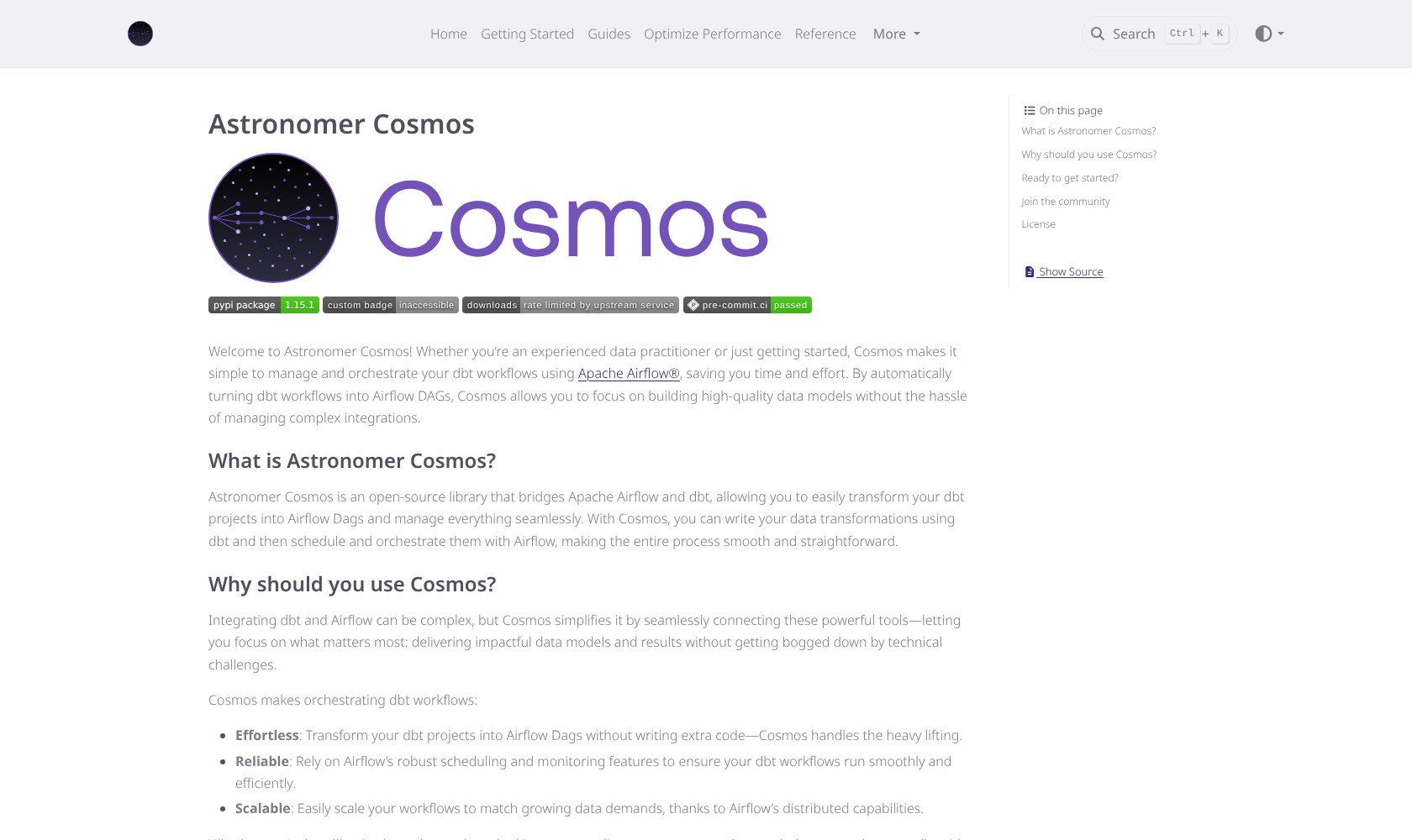
This is especially useful if Airflow already coordinates the ingestion before dbt and the downstream work afterward. However, Cosmos is open source and isn’t exclusive to Astro. I count it as a useful part of Astronomer’s ecosystem, not a feature that by itself justifies a paid subscription.
Astronomer AI, Security, and Support
Otto is Astronomer’s AI assistant for Airflow development and operations. Its documented uses include writing and debugging DAGs, investigating failures, reviewing code, and analyzing upgrades through the CLI and Astro IDE. The documentation currently labels it Labs.
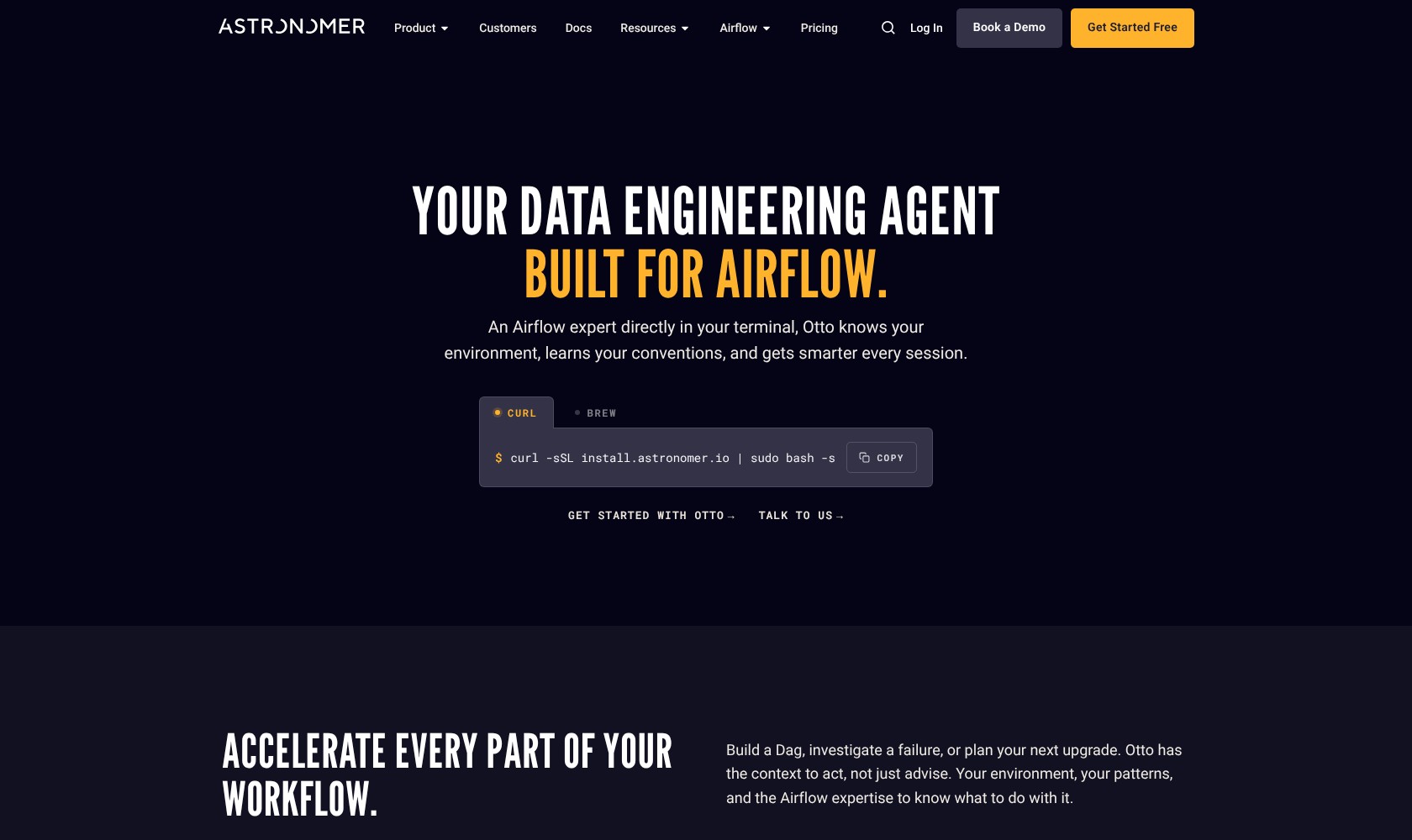
The attraction is context: assistance can be informed by your project and team conventions instead of a generic prompt about an Airflow error. Otto supports repository-based memory and configurable permissions, including rules that allow, deny, or require approval for actions.
I’d treat Otto as help for an engineer, not a replacement for one. A plausible explanation of a failed task still needs checking against logs and the intended behavior. Generated changes deserve the same review as other pipeline code.
Otto charges include both an intelligence layer and the underlying model costs. I’d evaluate how often the team uses it before counting on productivity savings. Occasional help with a difficult failure and daily code generation could produce quite different bills.
Choose the Right Security and Support Tier
SAML SSO is available across plans, but enforcement starts at Business. Team adds private networking and high availability. Those are purchasing requirements to settle early if your security policy or recovery needs depend on them.
Support requests go through Astro or its support portal, with priority based on incident impact. I’d make sure the team understands what qualifies as P1 before relying on the response SLA. A problem with a new DAG isn’t automatically equivalent to a previously working production service becoming unavailable.
For infrastructure placement, there are two different options:
- Remote Execution: Astro manages orchestration while execution runs in your infrastructure. This requires Enterprise or higher and Airflow 3.
- Astro Private Cloud: the platform runs within your environment, with support for air-gapped installations. This is a separate product and a separate purchasing discussion.
I would choose between them based on which components must remain inside your environment. Treating them as interchangeable could lead you to evaluate the wrong architecture.
How Does Astronomer Compare to Competitors?
My shortlist would depend on whether you’re already committed to Airflow or choosing an orchestration model for the first time.
- Apache Airflow: better if you want to operate the open-source platform yourself and have the team to maintain it. Astro is more compelling when platform operations are taking time away from delivery. Keeping familiar DAGs is a substantial advantage.
- Dagster: worth considering for a new platform organized around data assets, such as tables and models, with explicit dependencies. I’d compare it early if the team wants an asset-oriented development model rather than a continuation of existing Airflow conventions.
- Prefect: a strong candidate when you want Python-native flows with dynamic task creation at runtime. It deserves a trial if your main need is coordinating Python workloads and you don’t have a large Airflow estate to preserve.
- Amazon MWAA: the closest infrastructure-oriented comparison for an AWS team that wants managed Airflow. I’d assess it alongside Astro using the same network requirements, support expectations, and representative workload. Being on AWS alone doesn’t establish which will be cheaper or easier for your team.
How I Reviewed Astronomer
I assessed Astro’s pricing model, development workflow, deployment options, operational controls, and alternatives, with particular attention to what changes between plans. I also checked how Cosmos and Otto fit into the platform and where their benefits need qualification.
This is an analytical review, not a production benchmark. The cost example is a calculation from a published entry rate, not an observed invoice. My recommendations reflect buyer fit and documented capabilities.
Prices and plan details checked in October 2026.
Should You Use Astronomer?
I’d shortlist Astronomer if Airflow is already important to your team and maintaining it is becoming a distraction. Astro keeps a familiar development model while giving you managed infrastructure and a path to more extensive support and controls.
I’d be less inclined to choose it for a handful of simple jobs or a team still deciding whether Airflow is the right model. In those cases, compare Prefect and Dagster before accepting Airflow’s complexity.
Start with a representative pipeline, estimate the complete usage bill, and select the support tier around the consequences of failure. If those three checks work for your team, Astro has a convincing reason to earn its place in the stack.
Astronomer FAQ
Is Astronomer the same as Apache Airflow?
No. Apache Airflow is the underlying open-source orchestration project. Astronomer provides Astro and Astro Private Cloud around Airflow, adding managed or enterprise deployment options and tooling.
Is Astronomer free?
Astro offers a 14-day trial, but the hosted service is paid. Free tools such as Cosmos don’t make the managed platform free. Include infrastructure and operations when comparing it with self-managed Airflow.
Does Astronomer replace dbt?
No. dbt handles transformation and modeling. Airflow coordinates work, and Cosmos helps represent dbt models within that orchestration. Astro can run alongside dbt rather than replace it.
Do you need Python skills to use Astro?
You should have Python and Airflow knowledge available on your team. The development tools and Otto can help, but somebody still needs to understand dependencies, failure handling, credentials, and the pipeline’s behavior.
Can Astro run tasks in your own infrastructure?
Yes. Remote Execution keeps orchestration on Astro while tasks run in your infrastructure. Astro Private Cloud is the separate option for running the platform within your environment, including air-gapped deployments.